
Lantern: Korean QR Table Order
Ding-dong, just like a Korean restaurant: pick the bell for new orders and staff calls, turn it up for a loud kitchen, or repeat until handled.
 Scan with your phone camera
 Scan with your phone camera
About the app
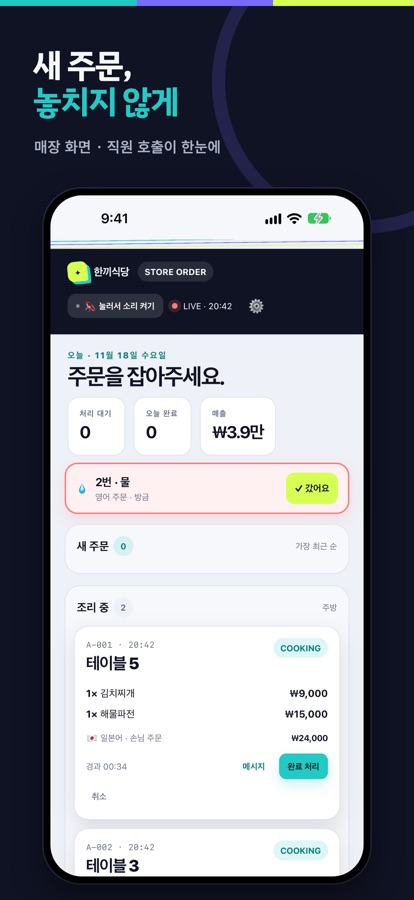
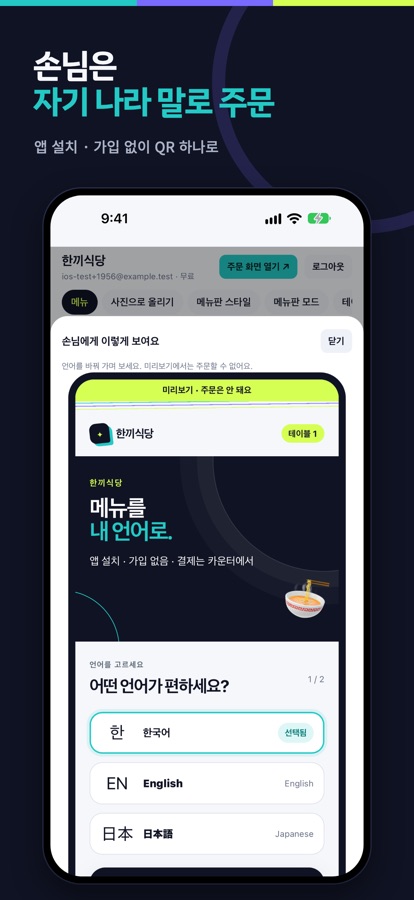
Lantern is QR table ordering for restaurants and cafés that serve international guests. Guests scan the QR on the table and order from a menu in their own language (15 languages) — no app, no sign-up. You and your staff receive orders in this app and mark them cooking, ready and paid.
New-order and staff-call alerts
Push alerts for new orders, even on the lock screen. Guests can call for water, utensils or the bill — like a table pager. Use a tablet as the order board and staff phones as remotes.
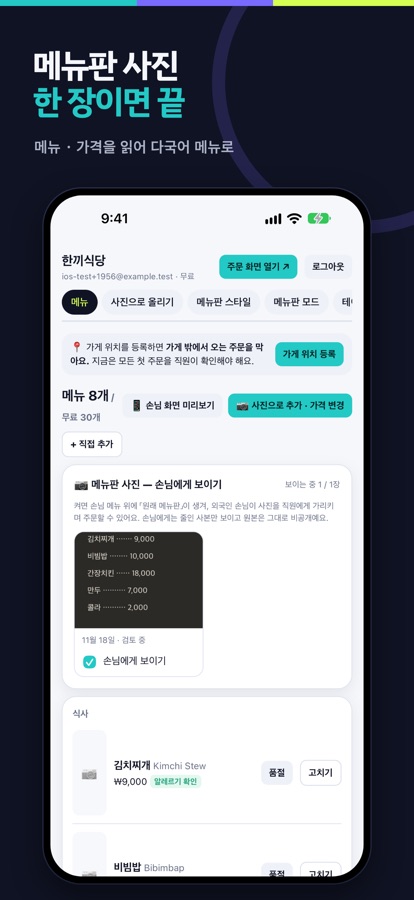
Your menu from one photo
Take a photo of your current menu; Lantern reads items and prices and builds a menu in 15 languages, including English, Japanese, Chinese, Thai and Vietnamese. Allergen, spice, halal and vegetarian labels included.
Staff remote and table devices
Staff connect by scanning a pairing QR — no owner password needed. Turn a spare tablet into a table menu with the screen pinned.
No prank orders, cooking times, points
Register your location and first orders from outside need staff confirmation. Show estimated cooking times on the guest menu, offer tips, and run phone-number loyalty points.
FAQ
Do guests need to install an app?
No. Guests scan the QR on the table with their phone camera and order from a web menu. This app is for owners and staff.
How do guests pay?
Guests still pay at the counter. Payments do not go through the app, so there are no payment fees.
Which shops is it for?
Restaurants, snack bars, cafés and pubs that serve many international guests, and shops that want QR ordering without tablets or contracts.
How do I delete my shop's data?
Close your shop in the app under Settings > Close shop. The data is deleted automatically 30 days after closing.
More apps by HOTBLOOD
 Maekgul: Nameless RoninIdle Martial Arts RPG
 Gangho Gatekeeper: Castle TDWuxia Martial Arts Defense
 Cash Cow: 1v1 Milking DuelOut-milk your rival. KO!
 Mallang: Squishy PetCute idle pet & farm game
 Peekaboard: Shared PlannerSchedules and to-dos for all
 DoWithMe - Video Home WorkoutsBuild workouts from videos
 JudoWaza: Judo EncyclopediaJudo technique encyclopedia